I’ve had enough. Gatekeeper is fired.
sudo spctl --master-disable
System Settings → Privacy & Security → Allow Application From: Anywhere
I run Nextcloud on a home server and I love it. Modern Nextcloud installations (at least on Ubuntu bare-metal) come with Collabora Online ready to go, so I’ve got LibreOffice in the browser in addition to the Nextcloud sync client installed via Homebrew (brew install nextcloud) on my MacBook. So far so good!
But macOS ruins this wonderful setup as follows:
- When there is a new version of any document on my Nextcloud server, the Nextcloud client downloads it to my local synced copy.
- When such a file is downloaded to the macOS system, it receives the quarantine flag.
- When I try to open such an XLSX file (associated with LibreOffice) by double-clicking it in Finder, it fails with:
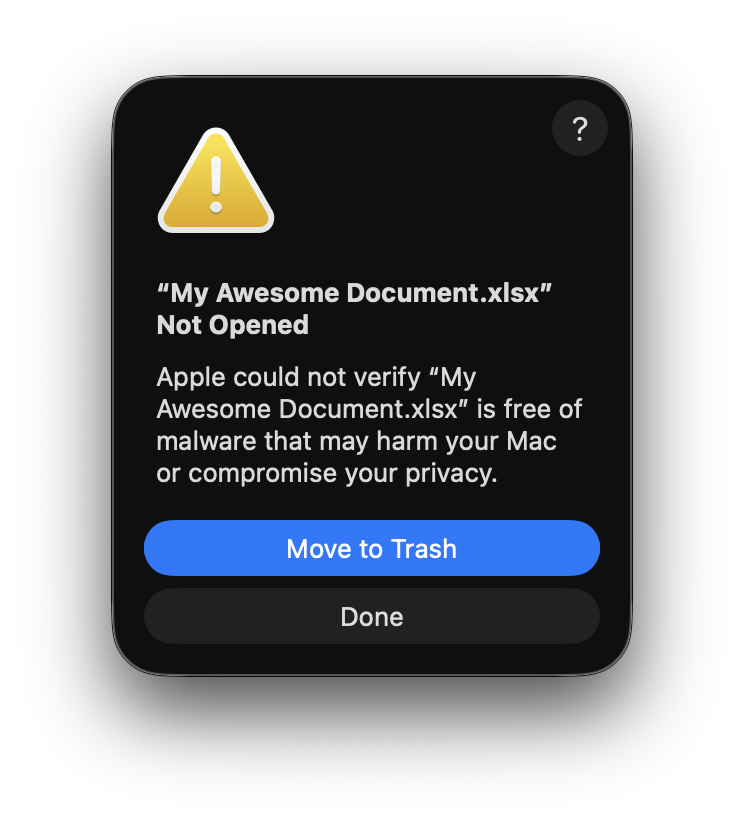
Before macOS Sequoia, this dialog box had an “Open Anyway” button, which avoided the worst of the consequences of this automatic quarantining behavior. But then they took it away—too dangerous for dumb users! Safer to just self destruct the computer—then nothing else can possibly go wrong with it.
Nextcloud file sync is not the only scenario with this issue; there are many reports from people harmed by this horrible behavior. Year after year, Apple adds more and more hoops to jump through just to have a working system.
It’s not OK that Apple spies on us in the name of security (tip: add 127.0.0.1 localhost ocsp.apple.com to your /etc/hosts to stop this). It’s not OK that it cost me months of developer effort to get my software to launch successfully on newer macOS systems due to these draconian restrictions. And it’s not OK that macOS’s shitty security system erroneously tells me my files are garbage to be thrown into the trash.
I refuse to set up an fswatch daemon just to strip quarantine attributes that should not be there in the first place, and should not prevent me from opening my files even when they are. I’m finally turning off this terrible subsystem that “protects” me from effectively using my computer.
Further reading:
- 2024-08-12 - macOS 15 Sequoia’s Excessive Permissions Prompts Will Hurt Security
- 2024-08-10 - Permissions Pollution
- 2024-08-10 - The Mac Is a Power Tool
- 2024-08-07 - Overriding Gatekeeper Protections in MacOS 15 Sequoia Will Require Clicking Through Panels in System Settings
- 2024-08-07 - Apple’s permissions features are out of balance
- 2023-10-12 - Apple’s mission to make the Mac safer is slowly destroying it
- 2017-03-31 - On the increasing difficulty of launching some apps
macOS system security is designed so that both software and hardware are secure across all core components of every Mac. This architecture is central to security in macOS, and never gets in the way of device usability
—Apple’s macOS Security Overview for IT